
Greedy Best-First Search
Always chase the node that looks closest to the goal.
The idea
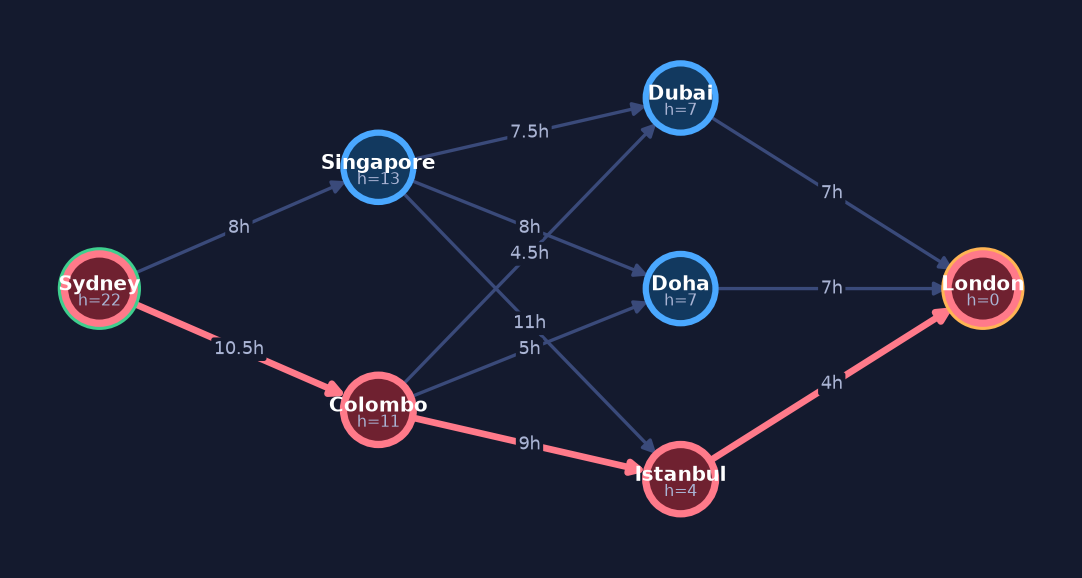
Greedy Best-First Search is an informed search: it uses a heuristic h(n), an estimate of how far each node is from the goal, to decide where to look next. At every step it expands the node that looks closest to the goal, ignoring how much effort it already spent getting there. This makes it fast and often finds a path quickly, but the path can be far from the shortest one.
How it works
- Put the start node into OPEN (the frontier of nodes waiting to be expanded), with its heuristic value h(start).
- Pick from OPEN the node with the smallest h(n) — the one that looks closest to the goal.
- If that node is the goal, stop: you've found a path.
- Otherwise, move it out of OPEN and into CLOSED (nodes already expanded/visited), so you don't revisit it.
- Look at all its neighbours. For each one not already in CLOSED, compute its h value.
- Add those neighbours to OPEN, each tagged with its own h(n).
- Repeat from step 2, always grabbing the smallest-h node next, until you reach the goal or OPEN is empty (no path found).
See it step by step
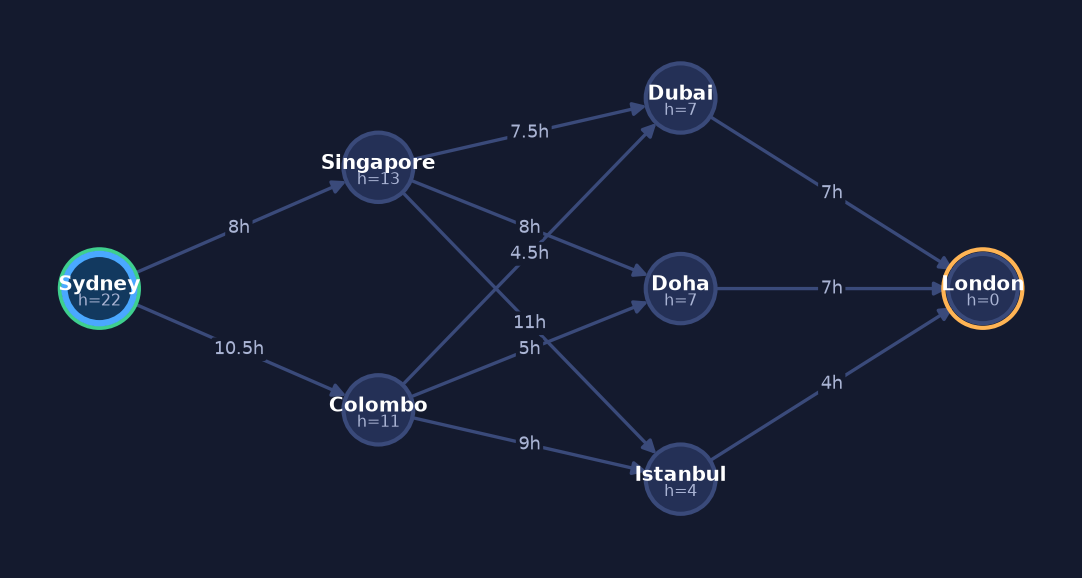
Watch Greedy Best-First Search search a real problem — flying from Sydney (SYD) to London (LHR). Click Next to advance one expansion and watch OPEN, the traversal, the path update live.
OPEN, CLOSED & the data structures
OPEN is a priority queue ordered by the heuristic h(n): the node that looks closest to the goal is always pulled out first. CLOSED is a set of nodes already expanded, used to remember where we've been so we don't re-expand the same node. Note that Greedy compares nodes only by h(n) — the estimated distance still to go — and never by the cost already spent.
Pseudocode
function GreedyBestFirst(start, goal, h):
    OPEN  = priority_queue ordered by h(n)   # frontier
    CLOSED = empty set                        # already expanded
    add start to OPEN with priority h(start)

    while OPEN is not empty:
        node = remove node with smallest h from OPEN
        if node == goal:
            return reconstruct_path(node)     # success
        add node to CLOSED
        for each neighbour of node:
            if neighbour not in CLOSED and neighbour not in OPEN:
                set neighbour.parent = node
                add neighbour to OPEN with priority h(neighbour)

    return failure                            # OPEN empty, no path
At a glance
👍 When to use it
- You want a path fast and 'good enough' beats 'shortest'.
- You have a decent heuristic that estimates distance-to-goal well.
- The search space is large and a smart guide beats blind searching.
- Finding any solution quickly matters more than guaranteeing the best one.
⚠️ Watch out for
- It only looks at h(n), the distance still to go — it never counts the cost already travelled, so the result is not the shortest path.
- A misleading heuristic can send it far off course or into a dead end.
- Without the CLOSED set (and checking OPEN) it can loop forever revisiting nodes.
- Don't confuse it with A*: A* adds the cost-so-far g(n) to h(n); Greedy uses h(n) alone.
Now see it for yourself
Open Greedy Best-First Search in the visualizer — step through it, pause, and watch OPEN & CLOSED change.